








































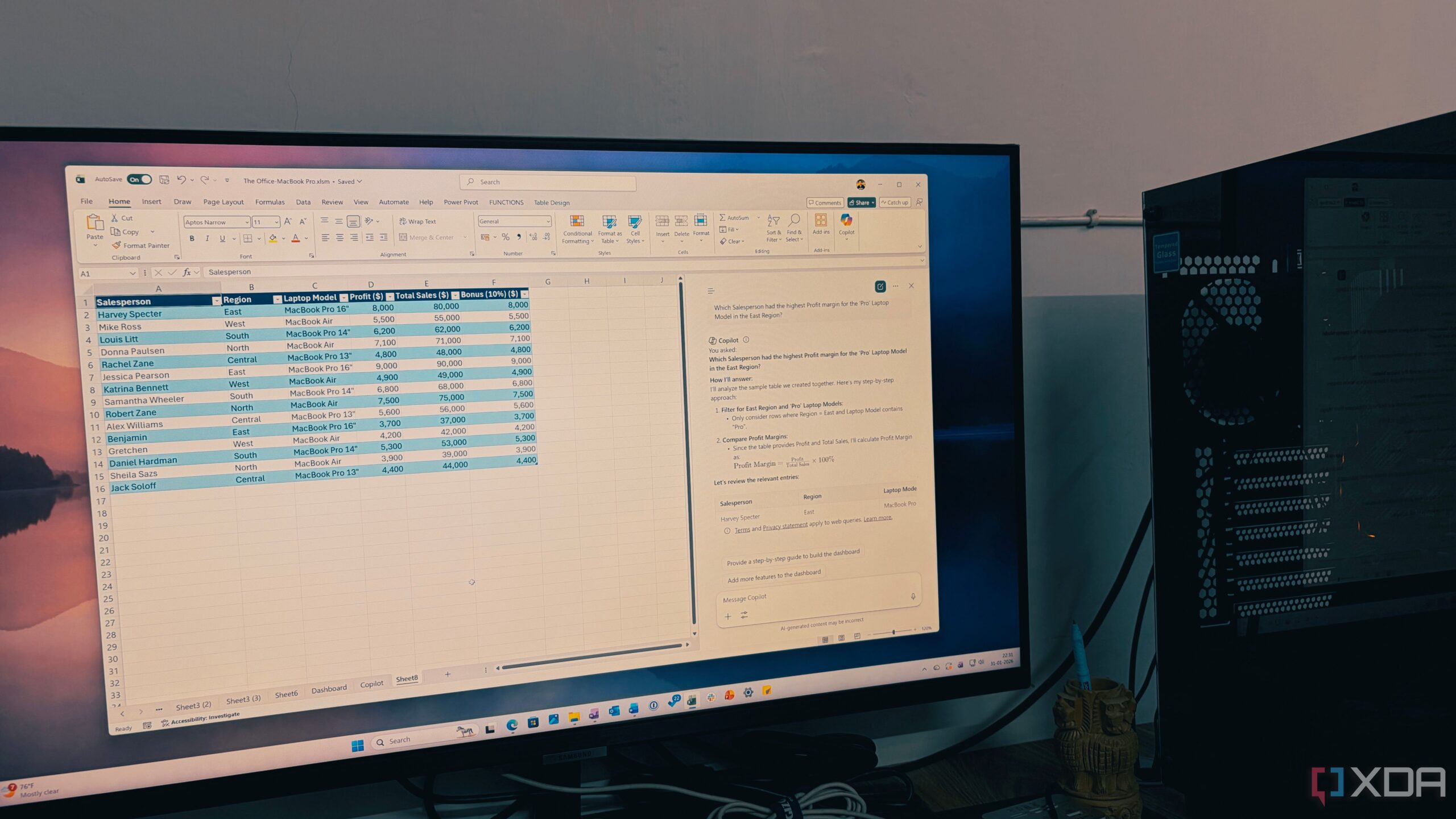
UPDATE: Microsoft has just launched its groundbreaking Copilot feature in Excel for Microsoft 365 users, drastically transforming data management. This AI-powered tool is changing how users interact with spreadsheets, enabling faster, more efficient analysis and data manipulation like never before.
This new development is creating a buzz among professionals who are tired of the tedious manual processes traditionally associated with Excel. The integration of Copilot allows users to generate complex formulas and visualize trends in mere seconds, fundamentally altering the landscape of spreadsheet management.
Users report that Copilot is capable of understanding natural language commands, making it easier than ever to execute complex tasks. For example, instead of wrestling with syntax to calculate a weighted average, a user can simply type, “Highlight the rows where the profit margin is below 10% and calculate the projected impact if we raise prices by 5%.” This shift is not just a time-saver; it enhances productivity by allowing users to focus on insights rather than getting bogged down in formulas.
As one early adopter shared, Copilot makes it possible to standardize inconsistent data across thousands of rows in seconds. “Standardize the Profile column to follow a ‘City, State’ format,” they prompted, and Copilot delivered perfectly formatted data almost instantly. This efficiency is prompting many professionals to reevaluate their workflows and consider the value of AI in data analysis.
The productivity gains with Copilot are striking. For instance, users can now create Pivot Tables and charts simply by asking. “Which Salesperson had the highest profit margin for the ‘Pro’ laptop model in the East Region?” is all it takes to receive an immediate, accurate response. This not only streamlines the workflow but also drastically reduces the time spent on data analysis tasks.
The excitement around Copilot emphasizes a shift in mindset: it’s no longer about who can master the most formulas, but rather who can ask the best questions. Users are encouraged to think of Copilot as a high-level analyst, guiding them through data inquiries and generating actionable insights with unprecedented speed.
Experts warn, however, that while the tool is powerful, it’s crucial to double-check the results before making presentations. Users are urged to familiarize themselves with the best practices for prompting Copilot to ensure optimal outcomes.
As this innovation continues to roll out globally, businesses and individuals alike are being urged to adapt their approaches to data management. The era of “spreadsheet struggle” is officially over, with AI leading the way to new heights of efficiency.
For anyone still grappling with manual data entry and complex formulas, now is the time to embrace this change. Copilot is poised to redefine the future of Excel, making it an essential tool for anyone looking to enhance their productivity and insights in data management.