




















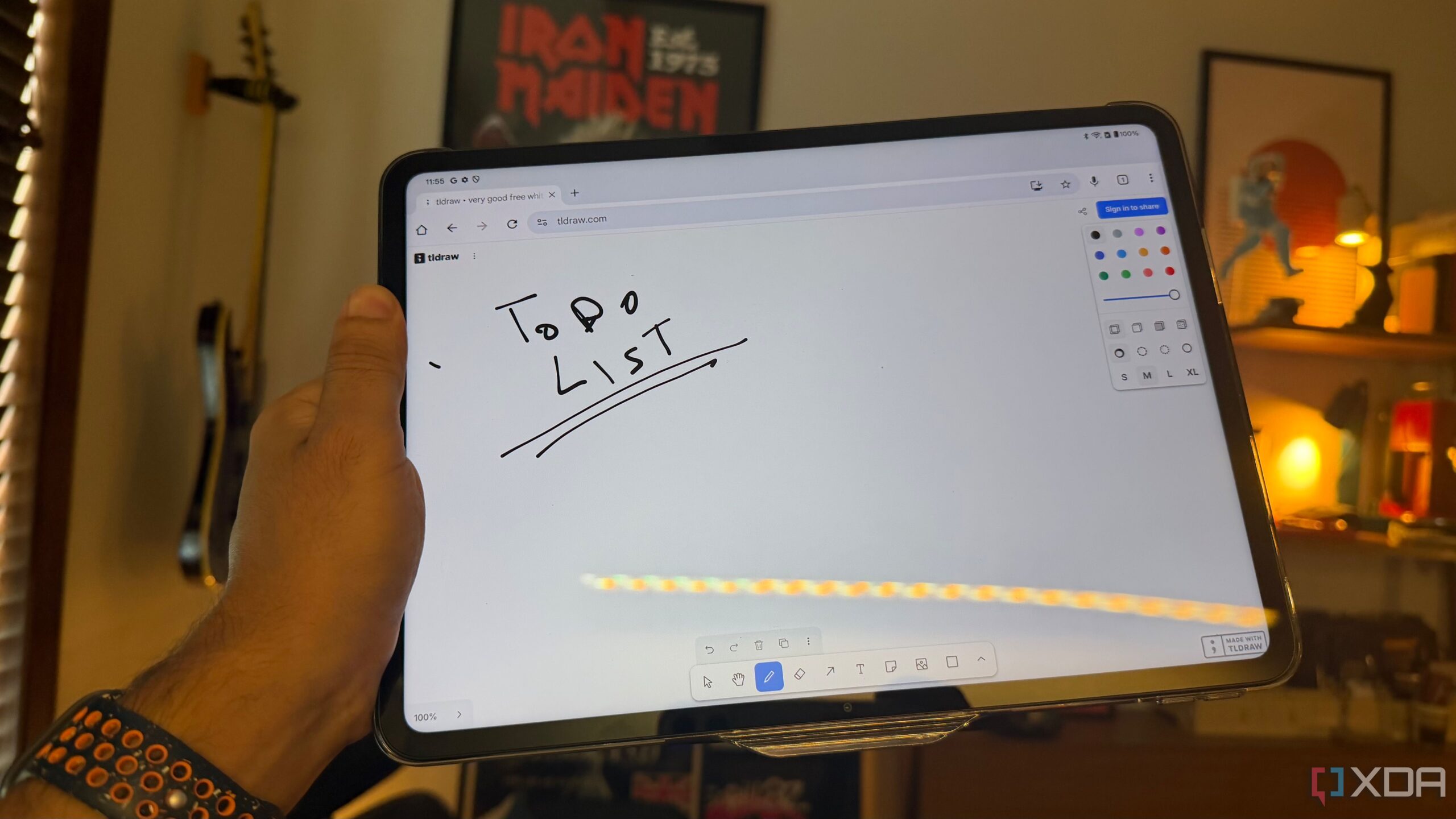













In a creative use of technology, individuals are turning old tablets into functional planning tools with the help of a free web-based software called tldraw. This innovative approach provides a simple and efficient way to create a digital whiteboard, enabling users to brainstorm and organize ideas without the constraints of traditional note-taking methods.
An important aspect of tldraw is its user-friendly setup. There is no need for installation or complex configurations; users can access an infinite canvas directly through a web browser. This immediacy eliminates decision paralysis and allows ideas to be captured quickly. The software operates in the cloud, meaning even older tablets can function effectively as a dedicated whiteboard.
One of the standout features of tldraw is its infinite canvas. Unlike traditional tools that confine users to pages or frames, this application offers a continuous space for creativity. Users can begin by jotting down a central idea and expand outward without hitting a boundary. This flexibility allows for a more organic flow of thoughts, which is particularly beneficial for planning sessions and brainstorming.
While the tools provided by tldraw are basic—offering freehand drawing, shapes, arrows, text, and connectors—this simplicity is a strength. Users can easily import images and media, enhancing their planning without overwhelming them with features. This straightforward approach is ideal for those who prefer a dedicated whiteboarding experience without unnecessary distractions.
Integrating tldraw into Daily Routines
Since incorporating tldraw into daily activities, many users have found their tablets transformed into an essential space for planning and note-taking. The software is designed to facilitate quick sketches and notes, allowing for daily planning sessions that reset at the end of the day. Should users wish to retain their work, tldraw offers export options in SVG or PNG formats, making it easy to save and share completed projects.
The impact on workflow has been significant. Users report that the ability to visually connect ideas and tasks promotes a more holistic understanding of their projects. For instance, drawing arrows between related tasks can illustrate dependencies, which is often more effective than linear writing.
Moreover, tldraw has become a valuable tool during meetings. Users can quickly jot down notes and diagrams, which can later be exported and uploaded to platforms such as NotebookLM. This integration streamlines the transition from brainstorming to documentation, ensuring that important insights remain accessible.
A Simple Solution for Enhanced Planning
What makes tldraw particularly appealing is its focus on essential functionality. In a landscape crowded with complex applications, this tool stands out by providing a dedicated space for drawing and whiteboarding. Users do not have to navigate long-form note-taking or excessive features, maintaining clarity and focus on their planning tasks.
For those with spare tablets, tldraw presents a remarkable opportunity to enhance productivity without the need for new hardware or software. Simply accessing a webpage is all it takes to unlock a versatile planning tool. This solution is especially valuable for individuals seeking to maximize their existing resources while effectively organizing their ideas and projects.
In summary, tldraw offers a compelling option for those looking to repurpose older devices into functional planning tools. Its ease of use, combined with the flexibility of an infinite canvas, makes it an ideal choice for anyone seeking a straightforward, efficient way to manage their thoughts and tasks.